Webhooks
Enhanced server-to-server notifications from webhooks



Webhooks are available on our Pro plan. If you are on one of our legacy plans without access to webhooks, migrate to our new Pro plan to get access.
RevenueCat can send you notifications any time an event happens in your app. This is useful for subscription and purchase events, which will allow you to monitor state changes for your subscribers and react accordingly.
With webhooks integrated, you can:
- Maintain an up-to-date record of subscriptions and purchases in your own backend
- Trigger automations and workflows based on the subscription lifecycle
- Remind subscribers of the benefits of your app when they decide to unsubscribe, or let them know when there are billing issues.
Registering Your Webhook URL
- Navigate to your project in the RevenueCat dashboard and find the Integrations card in the left menu. Choose Webhooks.
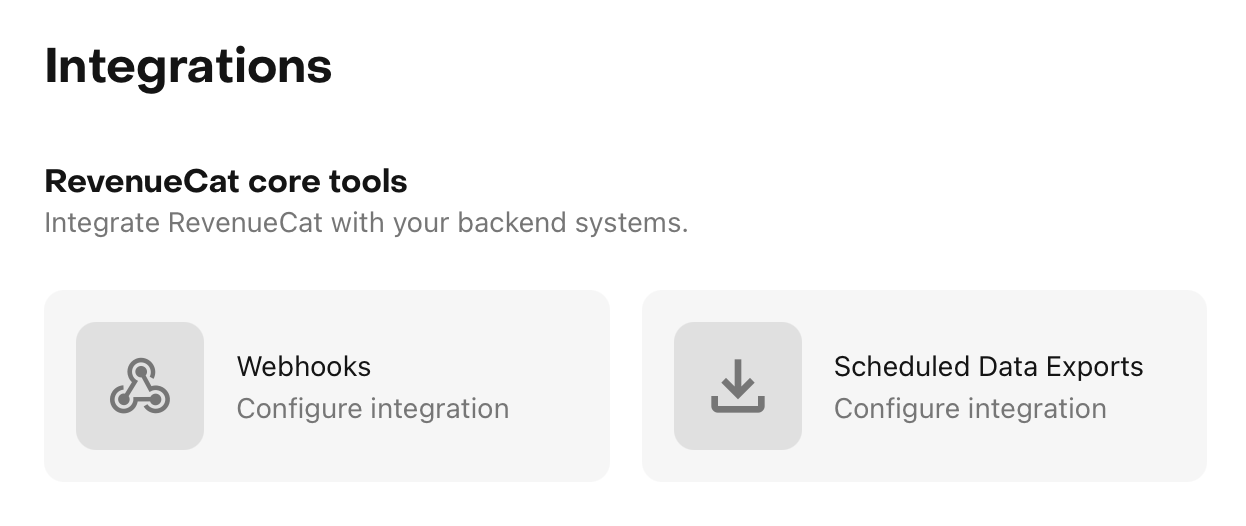
- Choose 'Add new configuration'
- Name the new Webhook integration. You can set up multiple webhook URLs, the name helps differentiate them.
- Enter the HTTPS URL of the endpoint that you want to receive your webhooks
- (Optional) Set authorization header that will be sent with each POST request
- Select whether to send events for production purchases, sandbox purchases, or both
- Select if the webhook events should be sent only for one app or for all apps of the project
- (Optional) Filter the kinds of events that should be sent to the webhook URL.
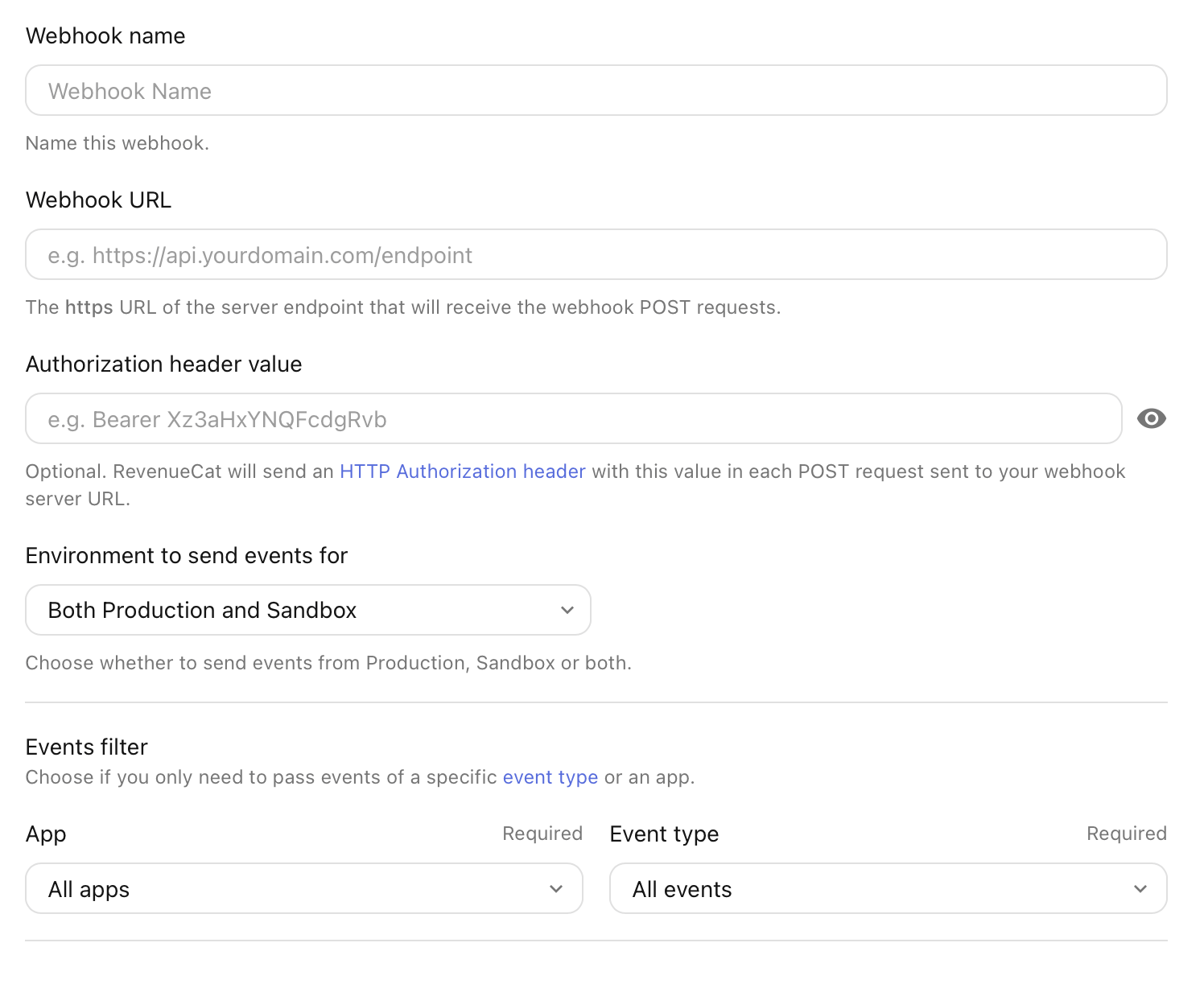
We recommended setting an authorization header value via the RevenueCat dashboard. When set, RevenueCat will send this header in every request. Your server can use this to authenticate the webhooks from RevenueCat.
RevenueCat will send POST requests to your server, in which the body will be a JSON representation of the notification. Your server should return a 200 status code. Any other status code will be considered a failure by our backend. RevenueCat will retry later (up to 5 times) with exponential backoff. Delays are approximately 2.5, 5, 10, 20, and 40 minutes (with jitter), for a cumulative retry window of about 80 minutes. After 5 retries, we will stop sending notifications.
If you're receiving a webhook it's important to respond quickly so you don't accidentally run over a timeout limit. We recommend that apps defer processing until after the response has been sent.
You can set up multiple webhook integrations per project – for example, if you use a different backend for production and sandbox/testing, you can set up two webhook integrations, filtered to the respective environment.
Webhook Events
For webhook event types and fields, see here.
Testing
You can test your server side implementation by purchasing sandbox subscriptions or by issuing test webhook events through RevenueCat's dashboard.

When testing with sandbox purchases, the environment value will be SANDBOX. RevenueCat itself does not have sandbox and production environments, so this value is only determined by the type of transaction received from the store. The same customer in RevenueCat can have both sandbox and production transactions associated with their account.
Syncing Subscription Status
Webhooks are commonly used to sync a customer's subscription status across multiple systems. Because different webhook events contain unique information, we recommend calling the GET /subscribers REST API endpoint after receiving any webhook. That way, the customer's information is always in the same format and is easily synced to your database. This approach is simpler than writing custom logic to handle each webhook event, and has the added benefit of making your system more robust and scalable.
Retrying a Failed Webhook
If your server fails to process a webhook, you can resend the webhook once your server issue is resolved. On the webhook integration page, locate the failed (or retrying) event in the table and click Retry. The webhook will be immediately dispatched to your webhook's URL.
You can also resend the webhook from the event details page.
Security and Best Practices
Authorization
You can configure the authorization header used for webhook requests via the dashboard. Your server should verify the validity of the authorization header for every notification.
Webhook Signature Verification (HMAC)
For stronger verification, you can enable HMAC signing on any webhook integration. When enabled, every delivery includes an X-RevenueCat-Webhook-Signature header with the format:
X-RevenueCat-Webhook-Signature: t=<unix_timestamp>,v1=<hmac_sha256_hex>
The HMAC-SHA256 is computed over "<timestamp>.<raw_json_body>" using your integration's signing secret. To verify:
Compute the HMAC over the raw request body bytes, exactly as received — before any JSON parsing. Re-serializing a parsed object (JSON.parse → JSON.stringify, or a framework that reparses the body) changes the bytes and will cause verification to fail on valid requests. Most frameworks require explicit opt-in to expose the raw body (Express express.raw(), Flask request.get_data(), Rails request.raw_post).
- Parse
t(timestamp) andv1(signature) from the header. - Recompute the HMAC over
f"{t}.{request_body}"using your signing secret. - Use a constant-time comparison (e.g.
hmac.compare_digest) to compare your computed signature withv1. - Optionally reject requests where
abs(now - t)exceeds your tolerance (e.g. 5 minutes) to prevent replay attacks.
Signature timestamp on retries
RevenueCat recomputes t and v1 on every delivery attempt, including automatic retries and a manual Retry from the dashboard. The first attempt's signature is not reused.
t is the Unix time RevenueCat signed that HTTP request, not the payload's event_timestamp_ms. A 5-minute tolerance only needs to cover clock skew and the latency of that POST. Don't size it to cover the full retry window (about 80 minutes across all retries).
Retries reuse the payload id and event_timestamp_ms. See Event types and fields.
Enabling HMAC signing
- Navigate to your webhook integration in the RevenueCat dashboard.
- Toggle HMAC webhook signing to enable it.
- Copy the signing secret and store it securely on your server. It is shown only once — at creation or rotation — and cannot be retrieved later. If you lose it, rotate to generate a new one.
- Use the Rotate secret button if you need to generate a new secret. The old secret is immediately invalidated.
Verification examples
- Python
- Node.js
- Ruby
- Go
- PHP
import hashlib
import hmac
import time

def verify_signature(payload: bytes, header: str, secret: str, tolerance: int = 300) -> bool:
    parts = dict(p.split("=", 1) for p in header.split(","))
    timestamp = parts["t"]
    expected_sig = parts["v1"]

    signed_payload = f"{timestamp}.".encode() + payload
    computed = hmac.new(secret.encode(), signed_payload, hashlib.sha256).hexdigest()

    if not hmac.compare_digest(computed, expected_sig):
        return False

    if abs(time.time() - int(timestamp)) > tolerance:
        return False

    return True
const crypto = require("crypto");

function verifySignature(payload, header, secret, tolerance = 300) {
  const parts = Object.fromEntries(
    header.split(",").map((p) => {
      const idx = p.indexOf("=");
      return [p.slice(0, idx), p.slice(idx + 1)];
    }),
  );
  const timestamp = parts.t;
  const expectedSig = parts.v1;

  const signedPayload = `${timestamp}.${payload}`;
  const computed = crypto
    .createHmac("sha256", secret)
    .update(signedPayload)
    .digest("hex");

  if (
    !crypto.timingSafeEqual(Buffer.from(computed), Buffer.from(expectedSig))
  ) {
    return false;
  }

  if (Math.abs(Date.now() / 1000 - parseInt(timestamp)) > tolerance) {
    return false;
  }

  return true;
}
require "openssl"

def verify_signature(payload, header, secret, tolerance: 300)
  parts = header.split(",").map { |p| p.split("=", 2) }.to_h
  timestamp = parts["t"]
  expected_sig = parts["v1"]

  signed_payload = "#{timestamp}.#{payload}"
  computed = OpenSSL::HMAC.hexdigest("sha256", secret, signed_payload)

  return false unless Rack::Utils.secure_compare(computed, expected_sig)
  return false if (Time.now.to_i - timestamp.to_i).abs > tolerance

  true
end
package main

import (
	"crypto/hmac"
	"crypto/sha256"
	"encoding/hex"
	"fmt"
	"math"
	"strconv"
	"strings"
	"time"
)

func VerifySignature(payload, header, secret string, tolerance int64) bool {
	parts := make(map[string]string)
	for _, p := range strings.Split(header, ",") {
		kv := strings.SplitN(p, "=", 2)
		parts[kv[0]] = kv[1]
	}

	timestamp := parts["t"]
	expectedSig := parts["v1"]

	mac := hmac.New(sha256.New, []byte(secret))
	mac.Write([]byte(fmt.Sprintf("%s.%s", timestamp, payload)))
	computed := hex.EncodeToString(mac.Sum(nil))

	if !hmac.Equal([]byte(computed), []byte(expectedSig)) {
		return false
	}

	ts, _ := strconv.ParseInt(timestamp, 10, 64)
	if math.Abs(float64(time.Now().Unix()-ts)) > float64(tolerance) {
		return false
	}

	return true
}
function verifySignature(string $payload, string $header, string $secret, int $tolerance = 300): bool {
    $parts = [];
    foreach (explode(',', $header) as $part) {
        [$key, $value] = explode('=', $part, 2);
        $parts[$key] = $value;
    }

    $timestamp = $parts['t'];
    $expectedSig = $parts['v1'];

    $signedPayload = "{$timestamp}.{$payload}";
    $computed = hash_hmac('sha256', $signedPayload, $secret);

    if (!hash_equals($computed, $expectedSig)) {
        return false;
    }

    if (abs(time() - (int)$timestamp) > $tolerance) {
        return false;
    }

    return true;
}
Response Duration
If your server doesn't finish the response in 60s, RevenueCat will disconnect. We then retry up to 5 times. We recommend that apps respond quickly and defer processing until after the response has been sent.
Delivery Delays
Most webhooks are usually delivered within 5 to 60 seconds of the event occurring - cancellation events usually are delivered within 2hrs of the user cancelling their subscription. You should be aware of these delivery times when designing your app.
Future Proofing
You should be able to handle webhooks that include additional fields to what's shown here, including new event types. We may add new fields or event types in the future without changing the API version. We won't remove fields or events without proper API versioning and deprecation.
Handle duplicate events
RevenueCat makes our best effort for “at least one delivery” of webhooks. In some rare situations, your application may receive a webhook for the same event more than once, and it is something your webhook processing should be prepared to handle. We recommend you to guard against duplicated events by making your webhook processing idempotent. For example, you can keep track of the event id we send with each webhook to ensure you are processing the event only once.
Sample Webhook Events
For sample webhook events, see here.