Amazon Appstore Real-time Notifications
Sending Amazon Appstore real-time notifications to RevenueCat



RevenueCat doesn't require server notifications from Amazon Appstore for most subscription updates. Configuring them can still speed up webhook and integration delivery times and reduce lag time for Charts. If you sell one-time purchases, set up Amazon Appstore Real-time Notifications so refunds update in RevenueCat automatically. Without them, a refund might only appear after the Customer opens the app again and purchases sync.
Amazon Appstore Real-time Notifications only work if the receipt exists in RevenueCat when the event is dispatched from Amazon Appstore. If the receipt doesn't exist, the notification will be ignored.
Setup Instructions
- Navigate to your Amazon app settings in the RevenueCat dashboard by selecting your app from Project Settings > Apps.
- Expand the Amazon Real-time Notifications settings section and copy the endpoint provided under Amazon Real-time Notifications URL.

-
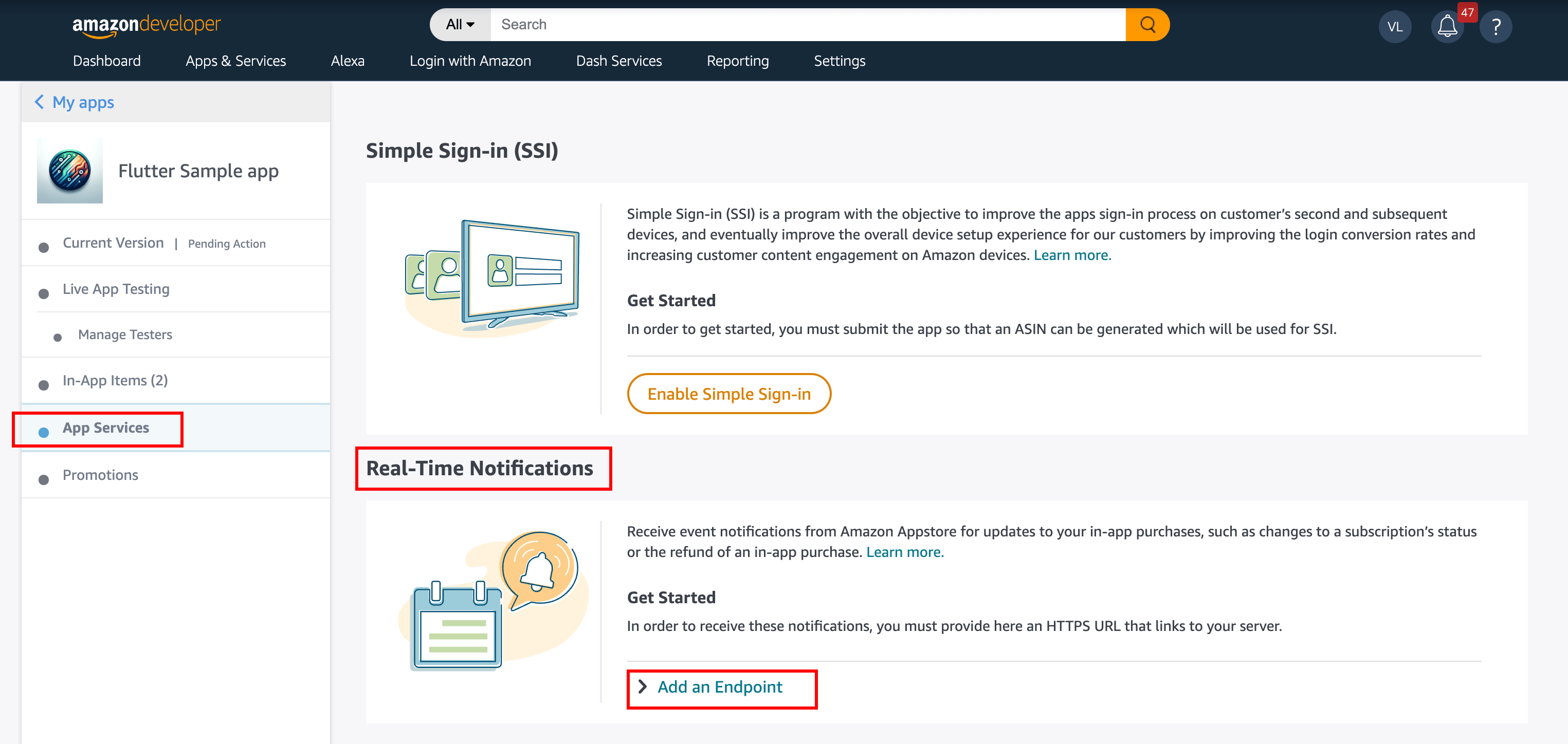
Go to the Amazon Appstore Console and select your app.
-
Click App Services in the left sidebar and under Real-time Notifications, expand Add an Endpoint.
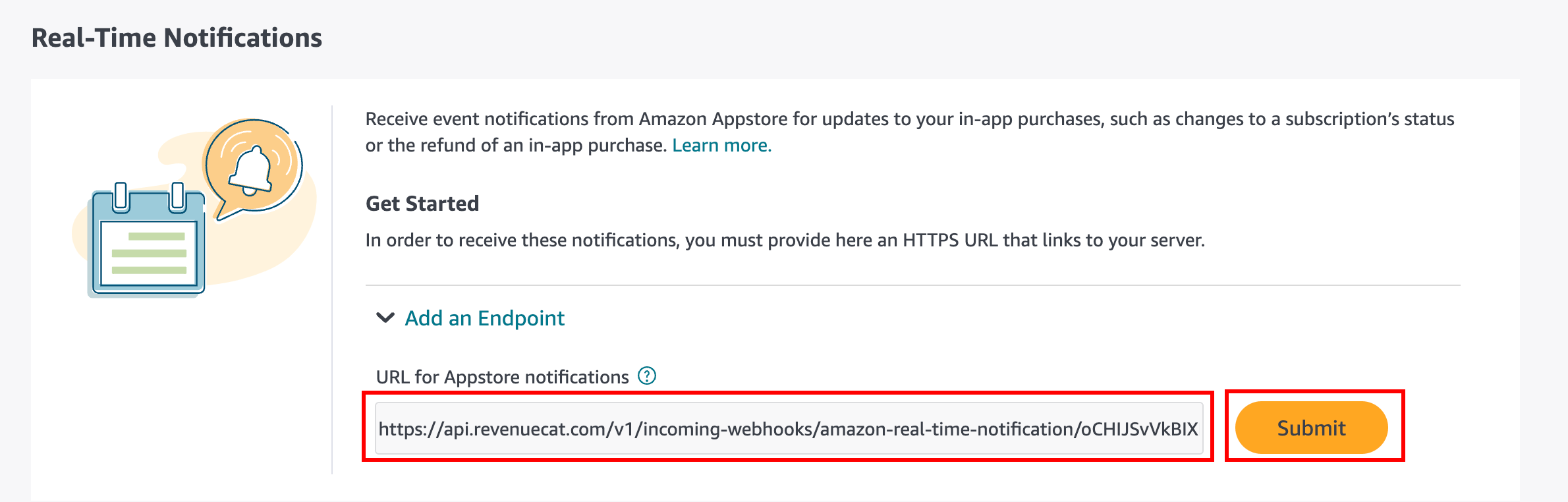
- Paste the URL of the endpoint you copied from the RevenueCat dashboard and click Submit.
-
Amazon sends a confirmation message to RevenueCat. Back in the RevenueCat dashboard, refresh your Amazon app settings page. Under Amazon Real-time Notifications settings, copy the value of Amazon Confirmation token.
-
In the Amazon Appstore Console, paste the token into the Confirmation token field and click Confirm. The endpoint status changes to Verified.
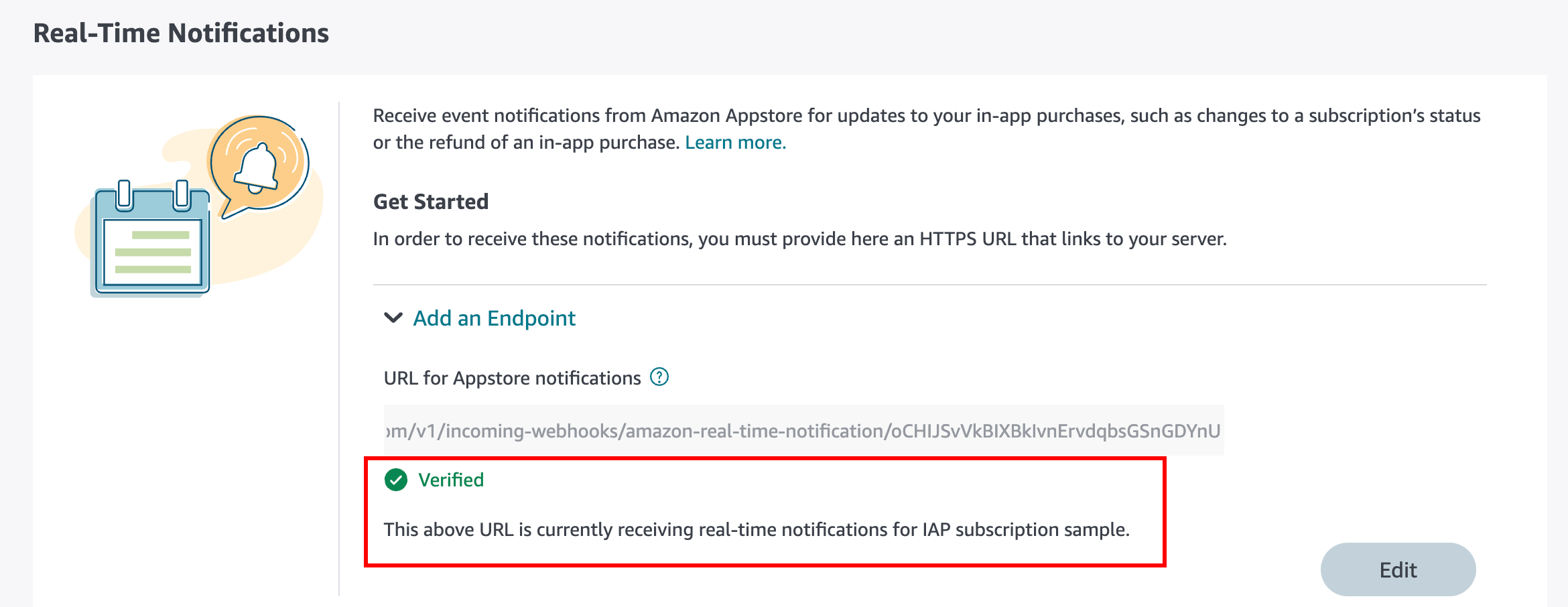
- After Amazon sends the first notification, the RevenueCat dashboard shows a Last received timestamp for the endpoint.

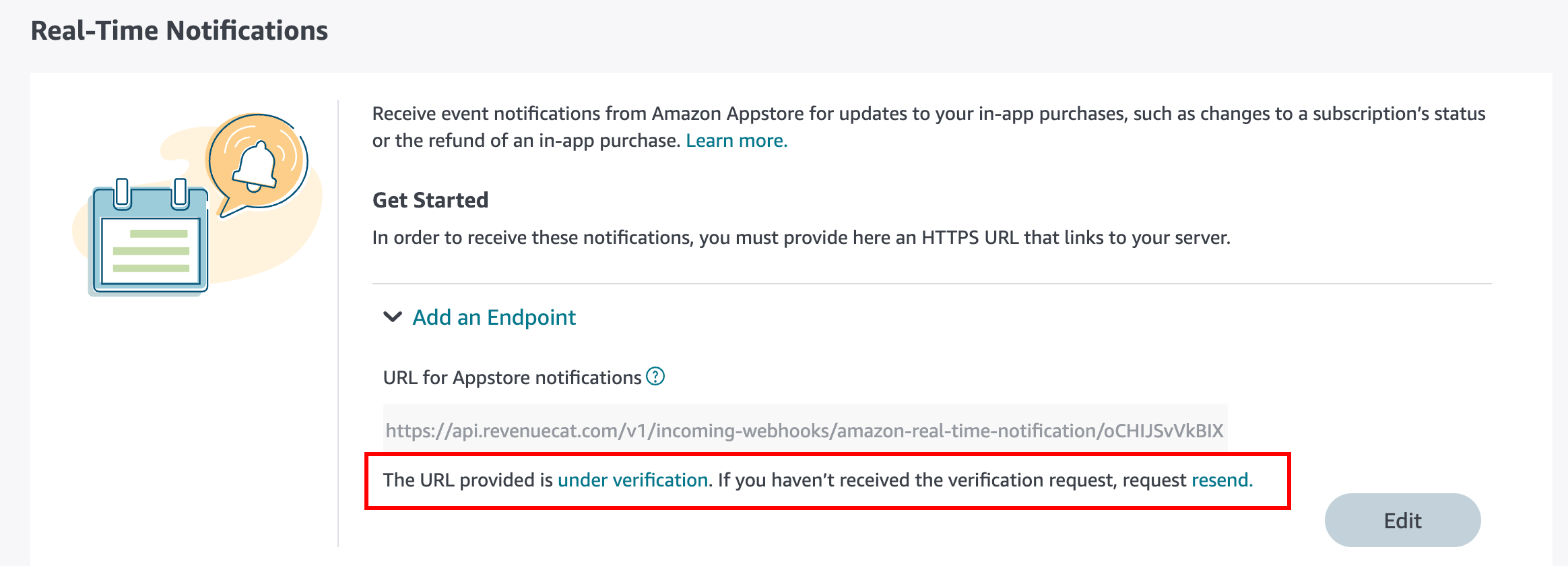
The confirmation token is valid for 48 hours. The RevenueCat dashboard shows how much time the token has left, or marks it as expired. If it expires before you confirm it, click Resend in the Amazon Appstore Console and copy the new token from the RevenueCat dashboard. For details on how Amazon authenticates endpoints, see Use Real-Time Notifications in the Amazon documentation.
Upgrading an existing endpoint
If you configured Amazon Appstore Real-time Notifications before October 8, 2026, Amazon shows a banner in the Amazon Appstore Console asking you to authenticate the endpoint. Your endpoint keeps sending notifications to RevenueCat until you confirm it, so there's no interruption.
To authenticate the endpoint:
- In the Amazon Appstore Console, open your app's App Services page and find the endpoint under Real-time Notifications.
- Click Resend to send a new confirmation message to RevenueCat.
- In the RevenueCat dashboard, refresh your Amazon app settings page and copy the value of Amazon Confirmation token.
- In the Amazon Appstore Console, paste the token into the Confirmation token field and click Confirm.
Troubleshooting
If the Amazon Confirmation token field doesn't appear in the RevenueCat dashboard, or the token has expired, confirm that you copied the correct URL from the RevenueCat dashboard. Then click Resend in the Amazon Appstore Console and refresh the RevenueCat dashboard after a few seconds. RevenueCat always shows the most recent token it received.
If the issue persists, contact support.