AI Features
Control which AI features can be used in your RevenueCat project.


Project admins can use the AI features tab in Project settings to control which RevenueCat AI features can be used in a project.
These settings apply across the current project. They are useful when your team needs to limit AI-assisted workflows or prevent Rico from making changes.
Requirements
Only project admins can change AI feature settings. Other collaborators' access to AI features depends on their project role and the settings configured by an admin.
Configure AI features
To update these settings:
- Open the RevenueCat dashboard.
- Select the project you want to configure.
- Go to Project settings > AI features.
- Choose the settings for each AI feature.
- Click Save changes.
Available settings
Rico
Access
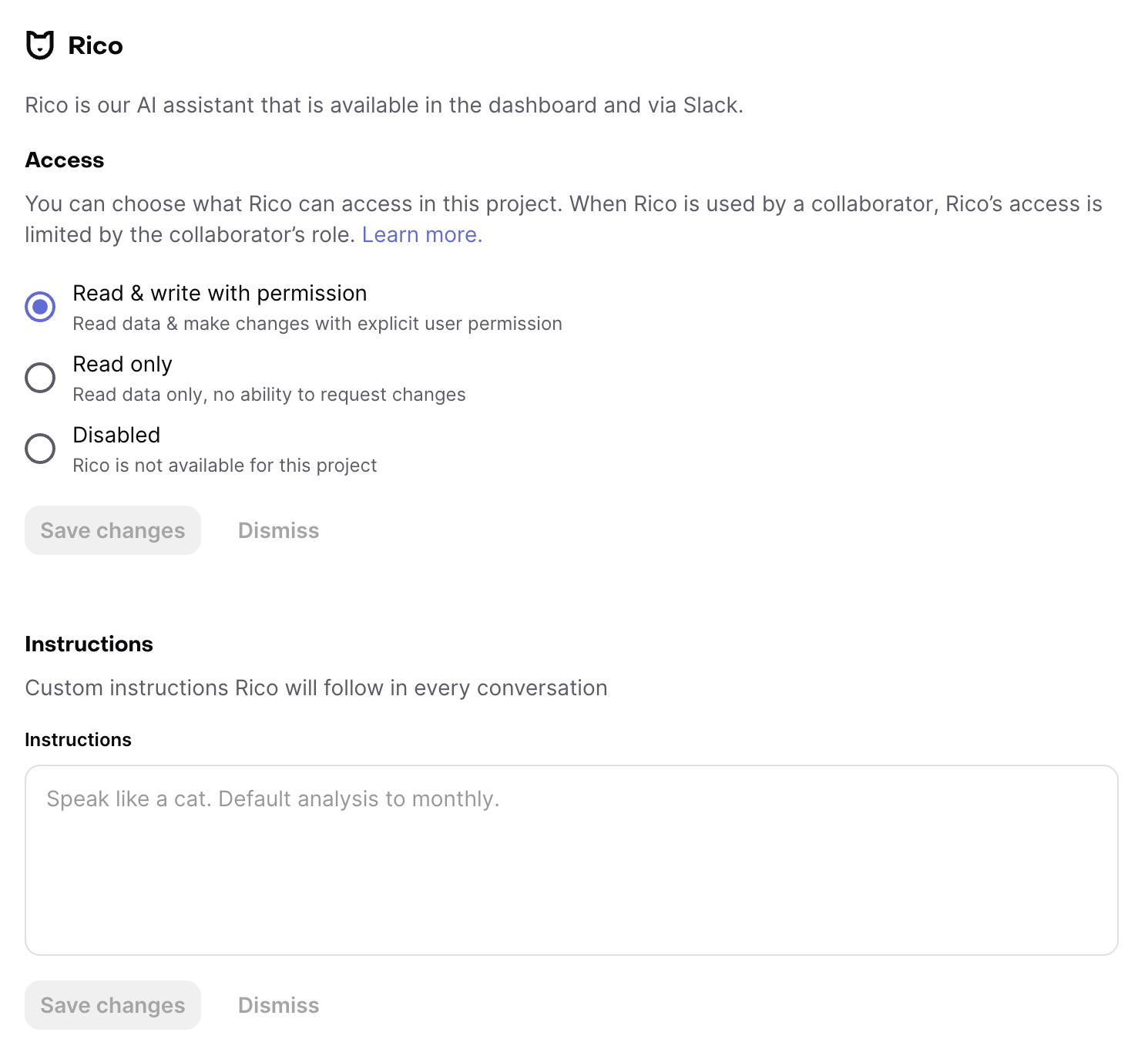
The Rico access setting controls how collaborators can use Rico with this project, in the dashboard and Slack.
- Read & write with permission: Collaborators can ask Rico questions and let Rico make changes with explicit user permission, subject to their project permissions.
- Read only: Collaborators can ask Rico questions about the project, but Rico cannot request or make changes.
- Disabled: Rico is not available in the project.
When Rico is used by a collaborator, Rico's access is limited by that collaborator's role. For example, read-only collaborators cannot make changes through Rico even when Rico is set to Read & write with permission. Learn more.
Instructions
These are custom instructions (for example, "be brief"), or important context about the project. These will be added to Rico's information about your project in every chat.