Refunding Payments
How to refund a customer's payment in the dashboard



You can refund a one-time or non-subscription purchase made by a customer, or any payment of a customer's subscription.
Refunding returns the funds to the customer's payment method (it can take a few days for the payment to be returned, depending on the payment method and the customer's bank).
For subscriptions:
- If the most recent payment is refunded, the customer immediately loses access to any associated entitlements.
- If an earlier payment is refunded, entitlement access remains untouched.
For one-time or non-subscription purchases, the customer immediately loses access to any associated entitlements.
For subscriptions where the most recent invoice failed to be collected, you can't refund the payment (since no payment was made). You can still cancel the subscription.
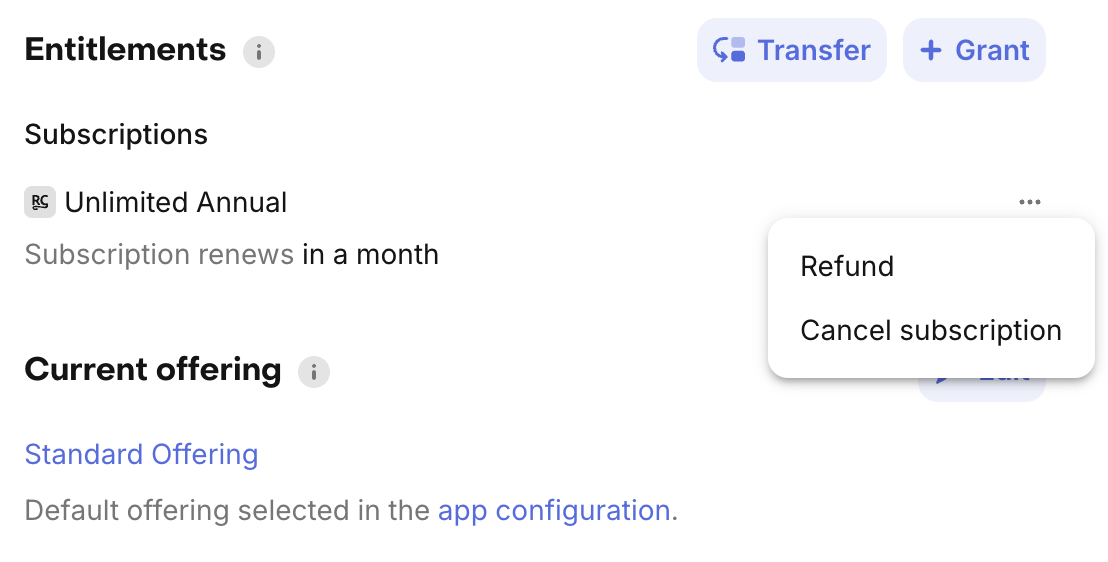
To refund a one-time or non-subscription purchase, or the most recent payment of a subscription, click on the "..." menu on the subscription in the "Entitlements" card of the customer profile and then select "Refund".
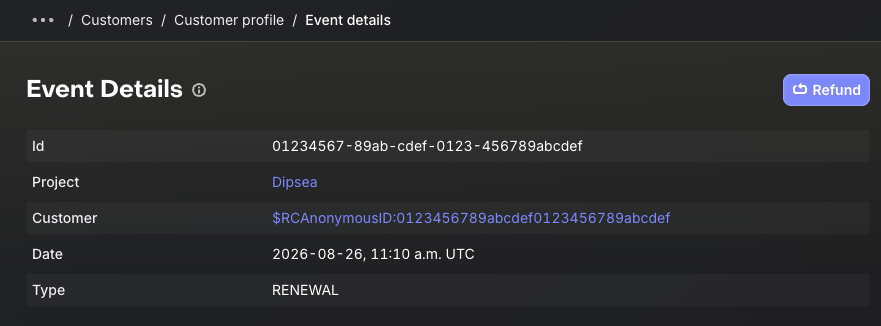
To refund an older payment, click on the INITIAL_PURCHASE or RENEWAL event in the Customer History of the customer profile and then select "Refund".